Prior authorization, checked before it is sent
Most rejections are decided before the payer sees the request. mutim runs four checks on every one and shows your staff the evidence.
One request, from draft to approved
This is the same sequence every request follows. The patient and the note here are synthetic.
- Service
- MRI of the knee
- Diagnosis
- S83.2Tear of meniscusSuggested by mutim
- Clinical note
- Right knee pain for 6 weeks after a twisting injury. McMurray test positive. Completed 4 weeks of physiotherapy with little improvement.
- Codes agree with the diagnosis
- Medical justification found in the note
- Payer rules met
- NPHIES format valid
Recorded in the application
The real screens, with fictional patients.
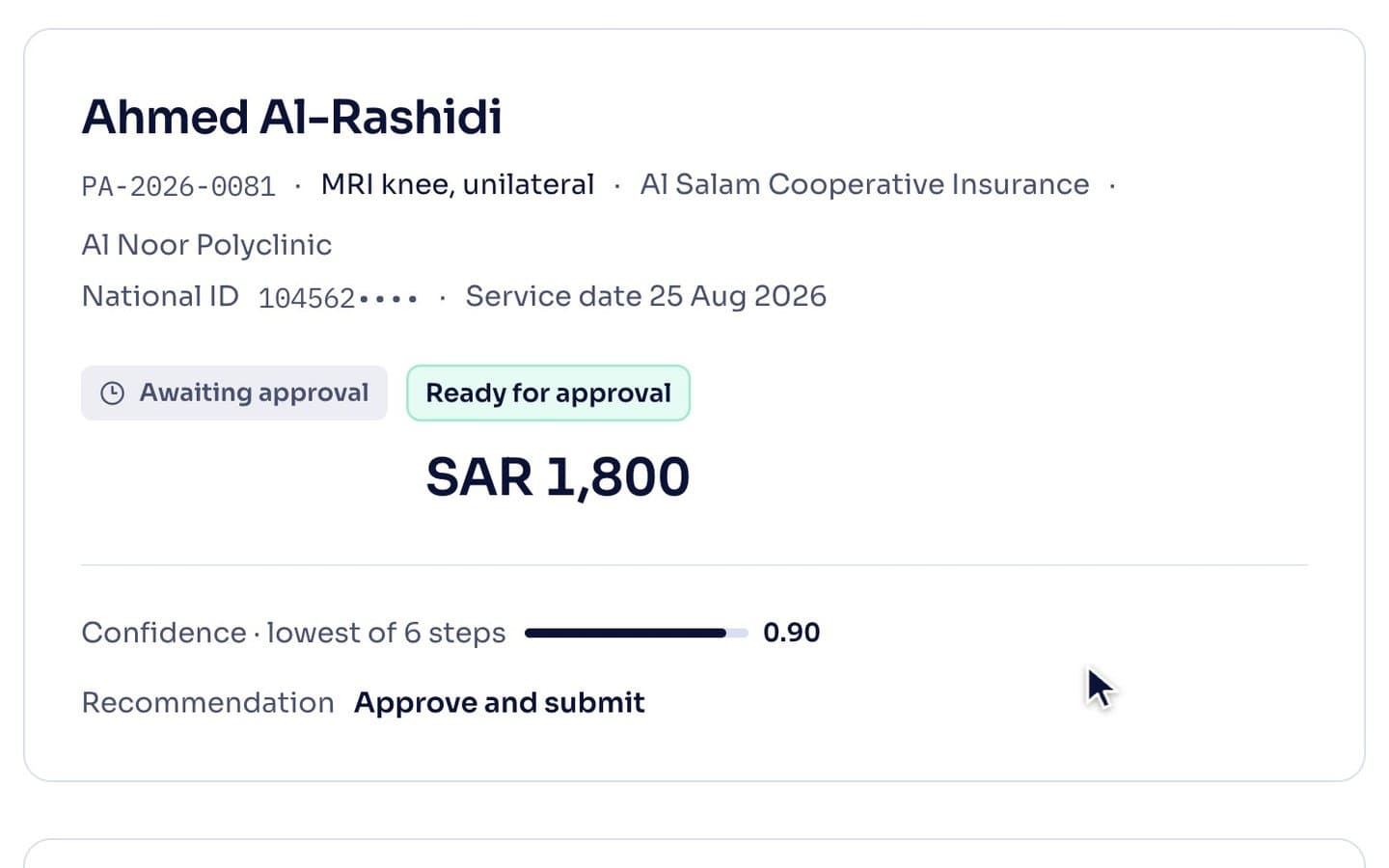
Four checks on every request
Codes
The diagnosis and service codes are checked against each other, in ICD-10-AM and SBS. A code that is valid but too vague for the service is flagged, not sent.
Medical justification
The payer’s criteria for the service are matched to what the note says, and the matching sentence is quoted beside each one.
Payer rules
Each payer’s documentation checklist is shown item by item: met, or missing. An attached document can satisfy an item the note does not.
NPHIES format
The request is validated against the NPHIES profile, so it is not returned for structure before anyone reads it.
The evidence behind each line
Point at a fact to see the words of the note it came from. This is what your reviewer sees before approving.
Right knee pain for 6 weeks after a twisting injury. McMurray test positive. Completed 4 weeks of physiotherapy with little improvement.
When something is missing, it says what
A request that is not ready stops with the reason named: the rule, the document, and who can supply it. It does not go to the payer to be rejected.
Missing: duration of conservative treatment. Ask the physician to add it to the note.
A person approves every request
mutim drafts and checks. A named member of your staff approves that exact draft before it is sent, and the approval is recorded.
Then the claim
An approved request is half the work. The claim has to carry that approval and reach NPHIES clean.
Linked to its authorization
Each line of the claim carries the approval it was given. A line that needed one and has none is stopped before submission.
Stopped, or sent to a person
A claim that cannot succeed is stopped. A claim the payer may question goes to a person, with the reason named.
Inside the filing window
The deadline for each claim is checked, so none is lost to the calendar.
Rejections sorted by cause
When a claim comes back, the reason is read, the cause is named and a corrected claim is proposed for a person to review.
One portal for the whole encounter
Ambient workflow
In the consultation
Turns the conversation into draft notes, orders and follow-up, for the clinician to approve.
Clinical intelligence
At the decision
Clinical reasoning and decision support, from the patient’s record and the evidence.
Revenue cycle intelligence
You are here
Supports coding, CDI, prior authorization and claim readiness.